Waypoints started as a Google UX certification brief. Design a tool for a community. The obvious answer before was a scoring app. But the real problem wasn't really on the field.
Looking back at my experience, every 3D archery competition I've competed in, the results processing looked the same:
1
paper scorecards collected at the finish
2
manually sorted by category, cross-checked by hand
3
entered into a spreadsheet
The competition ends, and then, everyone waits.
1 - 2 hours. Give or take.
Vibecoding made it possible to build a live system, not just prototype one.
My goal sharpened.
Note:
This case study tells a story about turning a vision into real product using vibecoding with zero previous coding experience. If you're interested in reading about the app prototype, you can do so here.
Mentioned wait time has a social layer. Archers chat, have lunch, catch up with people they only see at competitions. That part matters. But there's a difference between choosing to stay and being stuck waiting for results that determine whether you placed. When results take hours, some archers leave before the announcement. The moment may feel smaller than it should.
System Overview
Two Sides of a Same Coin
Project Waypoints evolved now as one live system, viewed through two interfaces. Each with a different purpose, aiming for a same goal.
When the organizer publishes the competition, system generates the QR code that archers scan to register. Everything related to voting, scoring and verification happens entirely within the archer app and all data instantly updates in the organizer's live dashboard.
The Organizer Side
Every field counts
"What made this harder than it looked was that nothing in the track builder stays contained to the track builder. Every field set here has a consequence somewhere else in the system."
Designing the organizer side wasn't really about designing screens in isolation. It was about tracking a data contract between two interfaces built and tested separately, making sure nothing fell through the gap.
CORE
Screen
Create competition
Name, date, number of targets, scoring scheme, categories.
Screen
Track Builder
Stations, special rules
Screen
Preview
Preview before publishing
CORE
Trigger
Publish
Generates QR code for App to trigger join Competition
CORE
Trigger
Competition Start
Admin unlocks "lobby" and voting in App
CORE
Screen
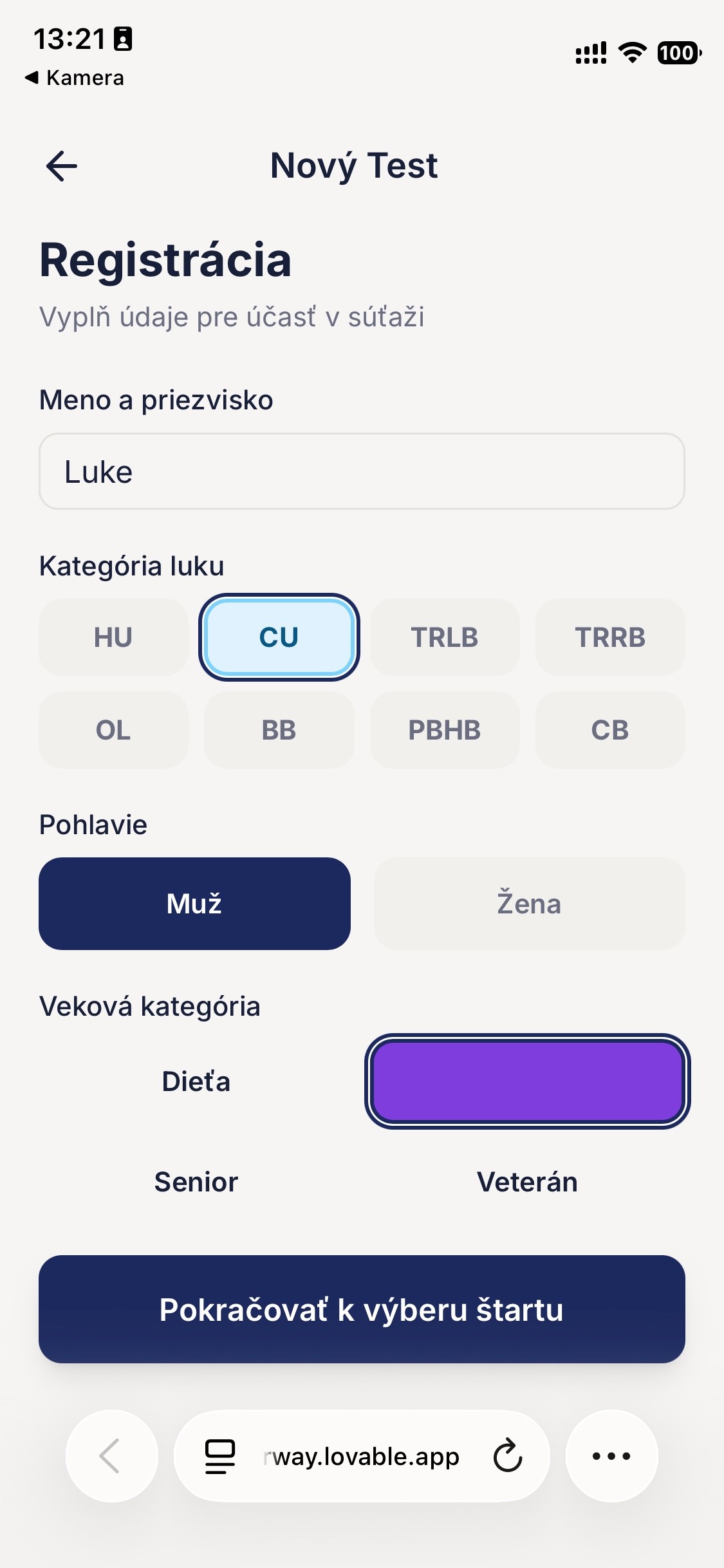
Shooter Registration
Filling name, bow category, age and gender into form
CORE
Screen
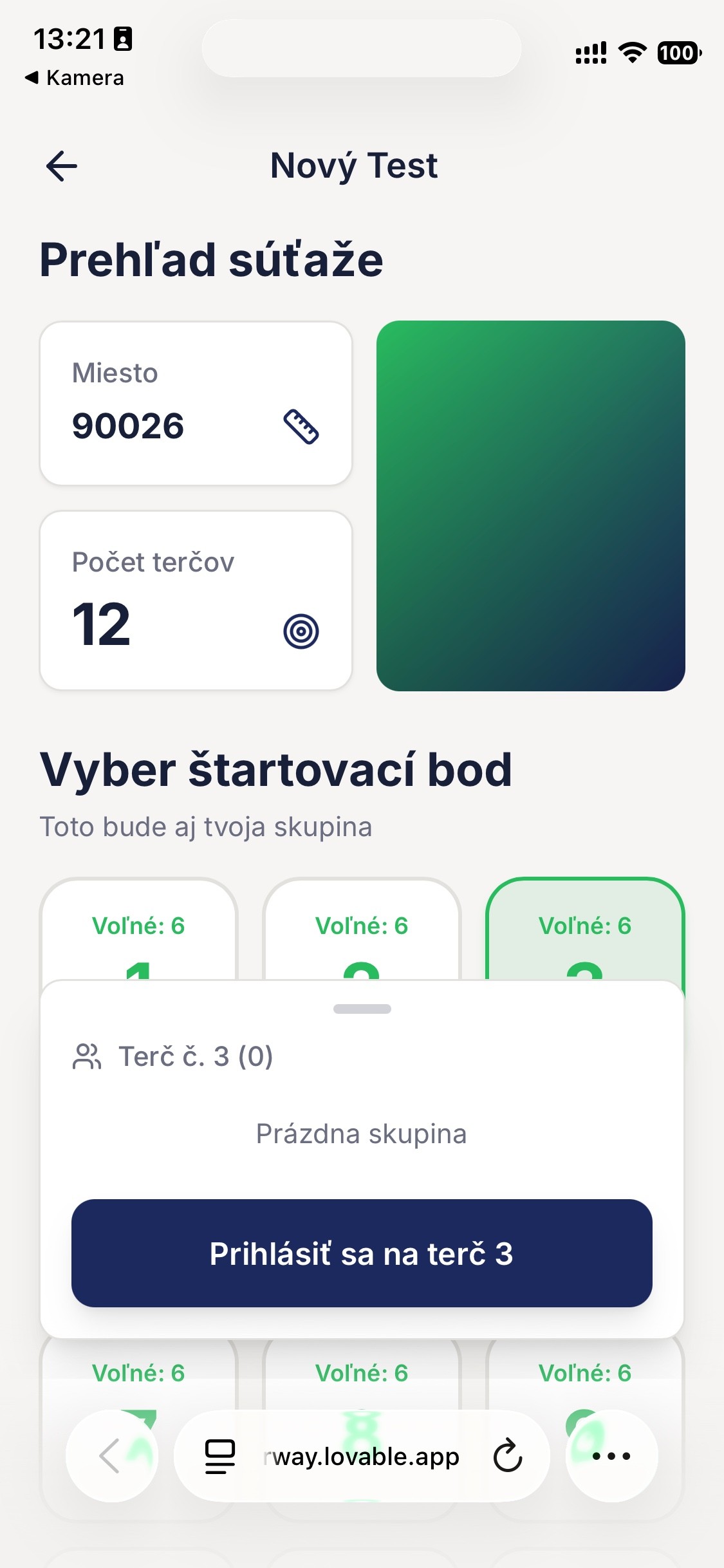
Pick Starting Group
CORE
Screen
Lobby
Waiting for the competition to start
CORE
Screen
Voting
Vote for score keeper. First with most points is score keeper, second is verifier.
CORE
Screen
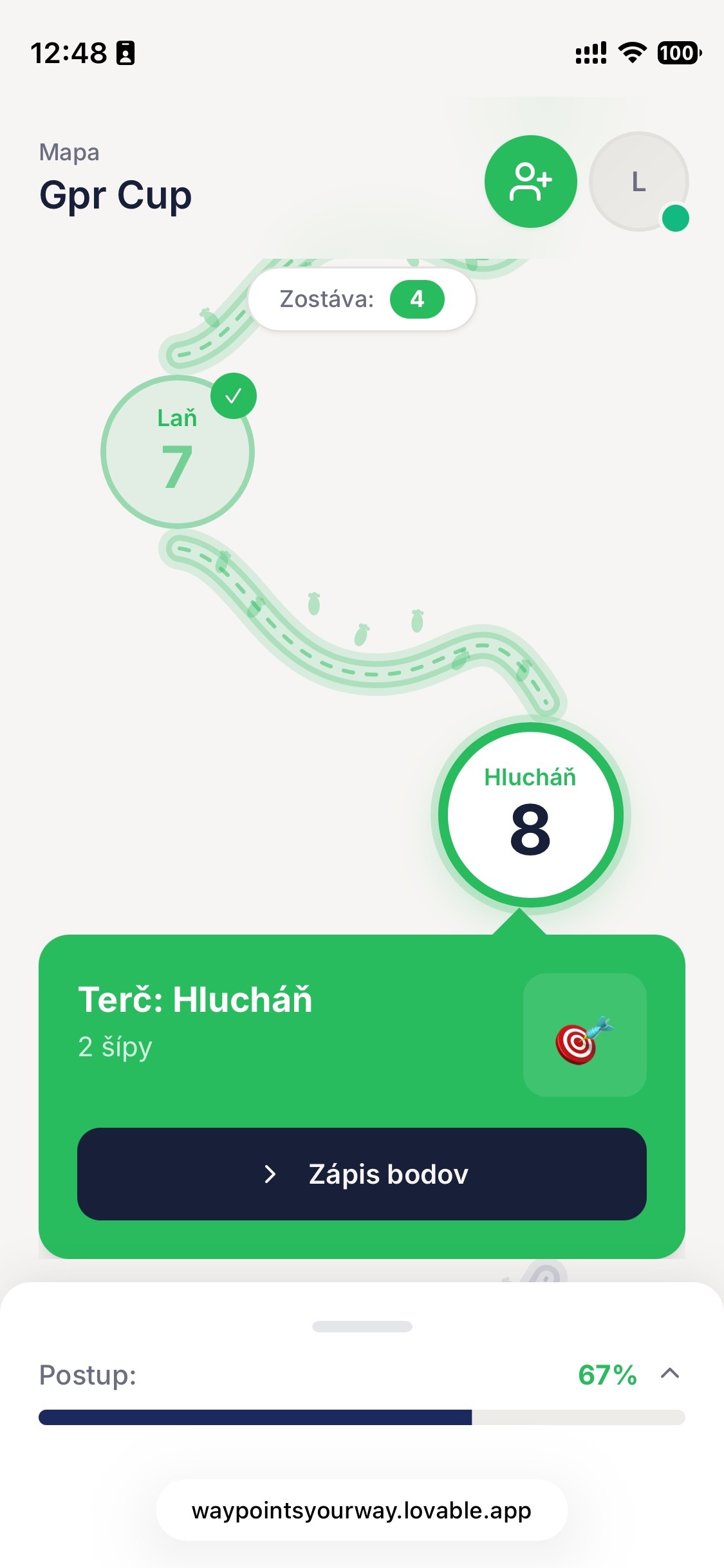
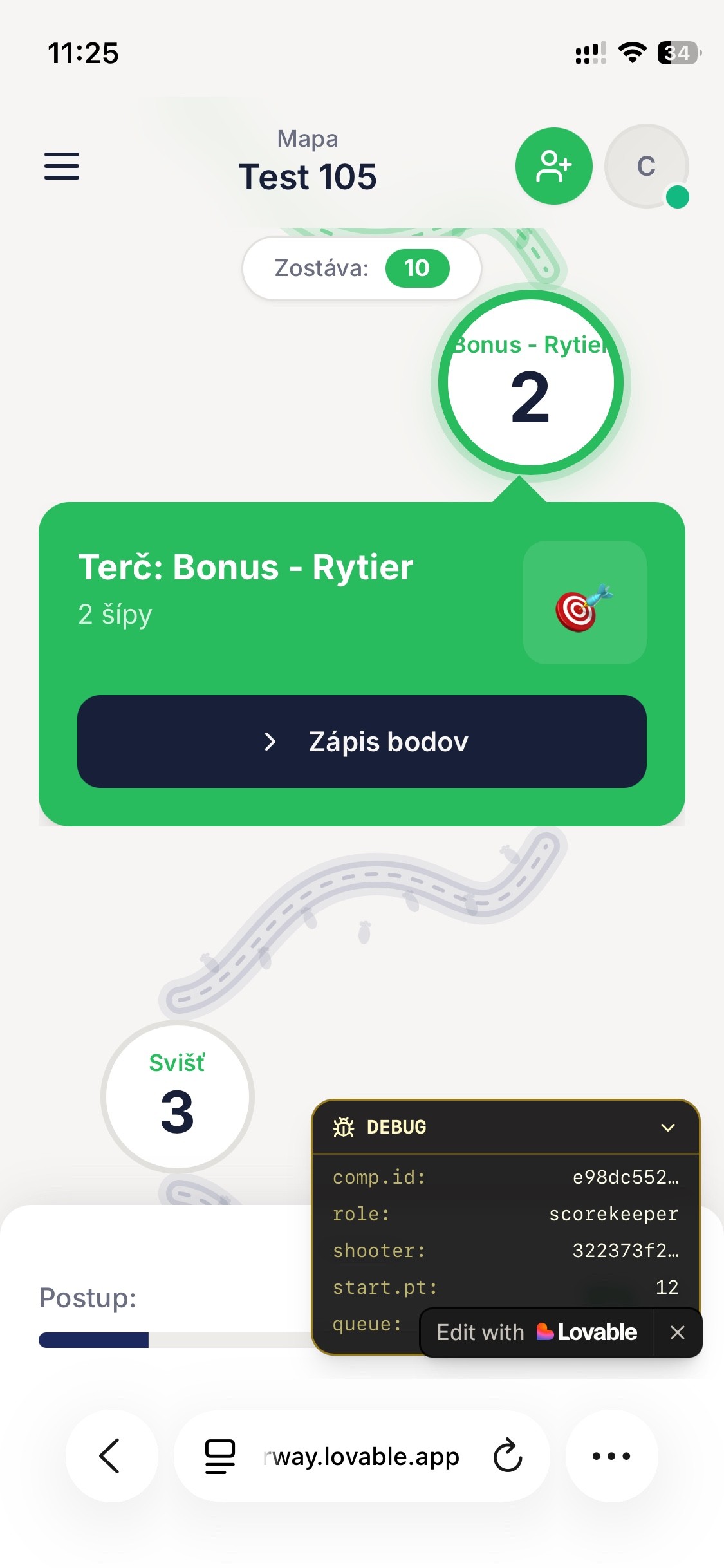
Map
Targets cashed for offline resilience.
CORE
Screen
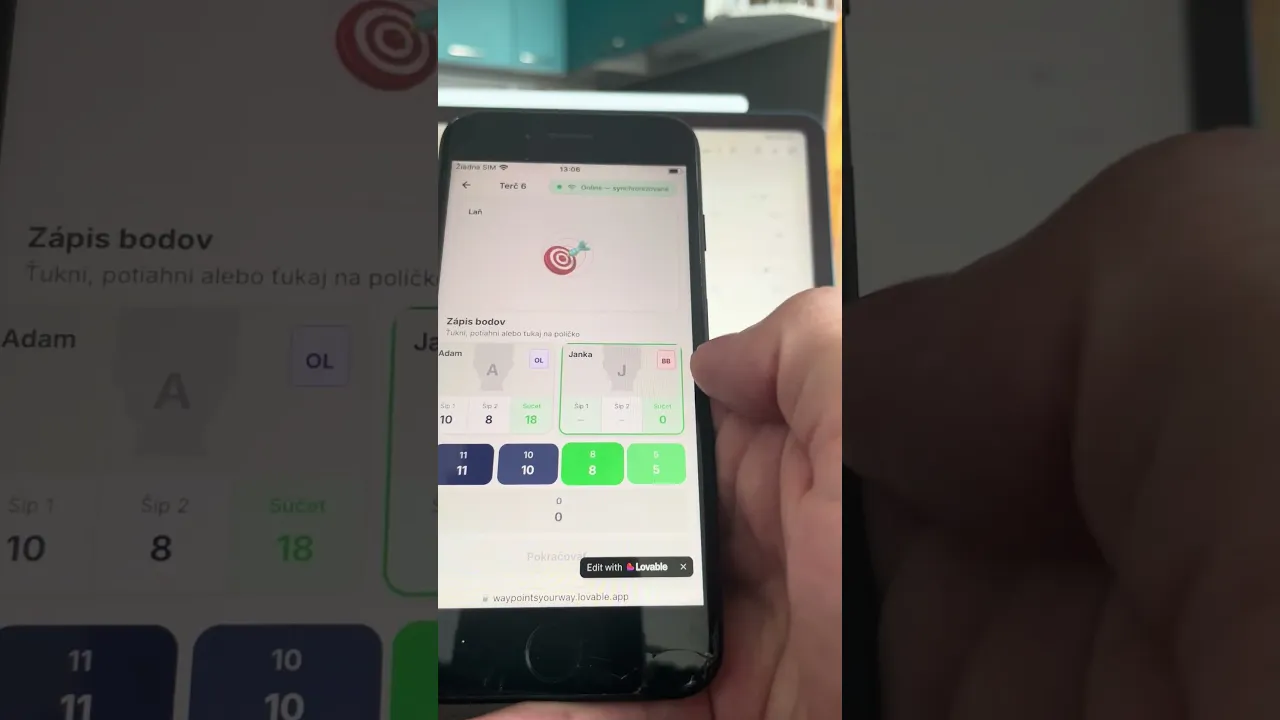
Score keeping
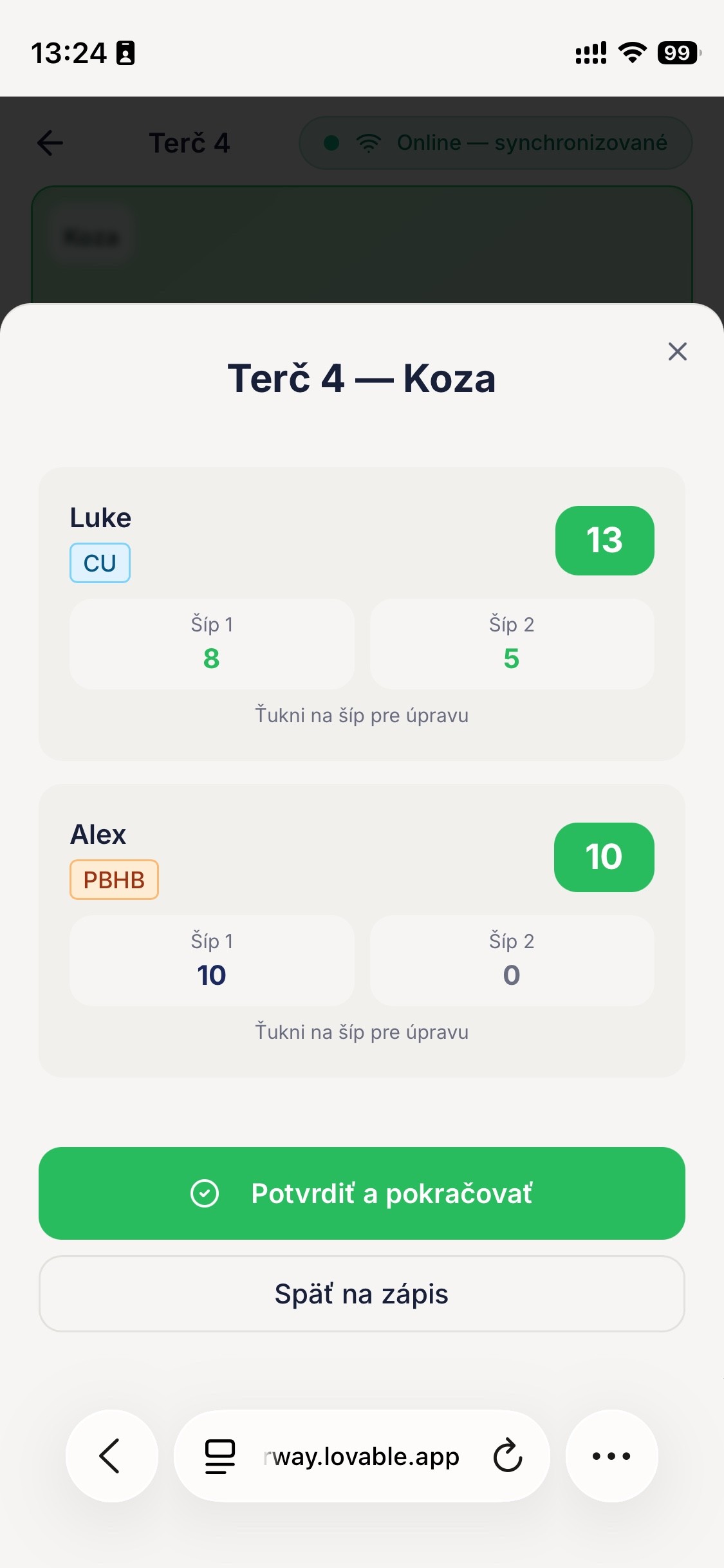
Score Keeper writes, Verifier checks for errors and 1xfix or confirms.
CORE
Screen
Live Preview
Target numbers represents groups. Scores agregated in real time (Depending on connection of score keepers)
CORE
Trigger
Competition End
All Groups Closed. Visual information and notifications in CMS provided
CORE
Decision
Results
Results ready to Generate as PDF, CSV or Share link. Can be filterred to create statistics and announce results in each category.
Trigger
(If) Connection Lost
Data pending queue. Flushed after reconnecting.
CORE
Screen
Map End
All scores written and confirmed.
CORE
Trigger
Group Closed
Visual update in Live preview
CORE
Screen
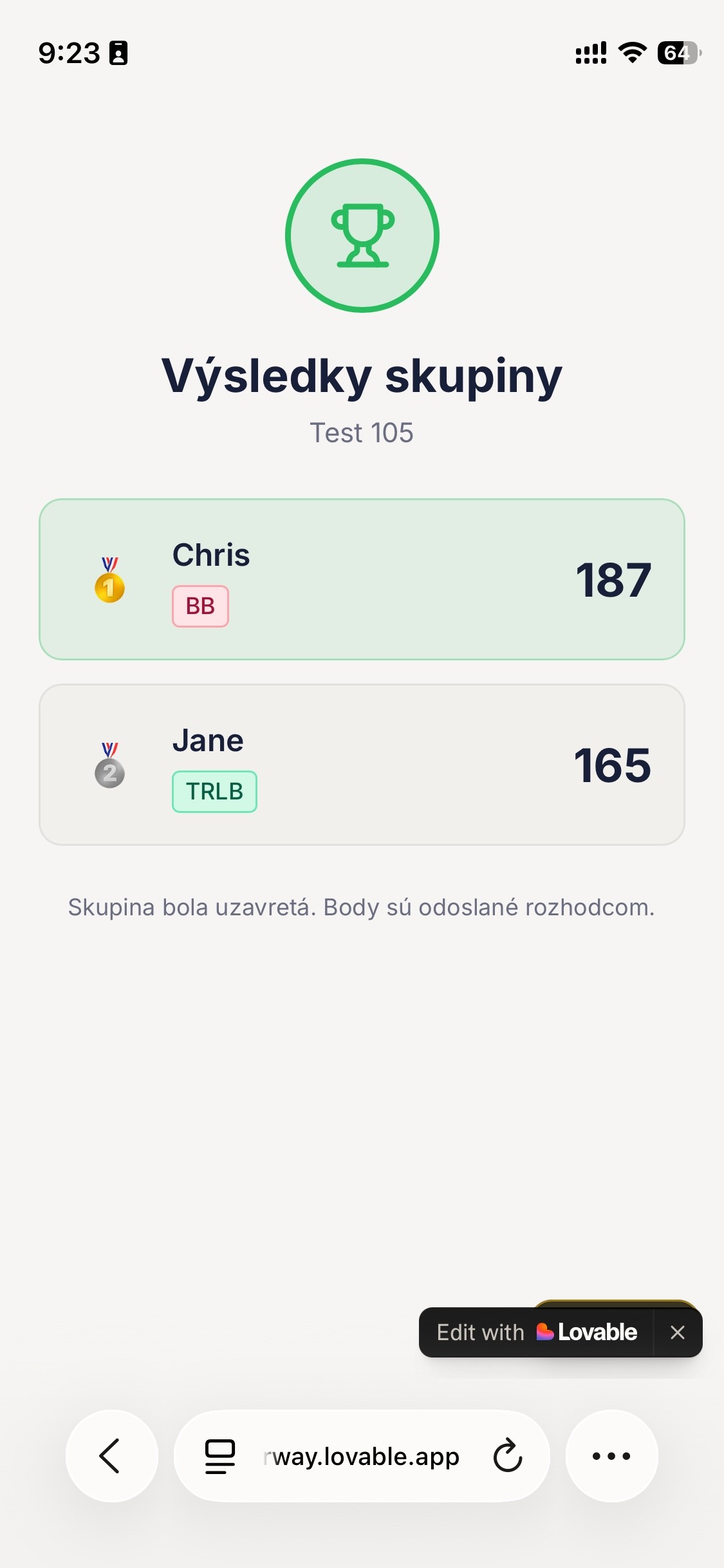
Group Results
Two interfaces talk to each other from the moment of creating the event until each group has closed (i.e. written scores on each target).
Voting, scoring, verification — these actions happen entirely within the archer app, syncing in the background into the Live preview in the CMS.
Note:
Not everything made it across cleanly. For example, the station shooting distance field exists in the track builder today, but doesn't yet feed into anything downstream. For V1, that gap was an acceptable trade-off; the field stays for future expansion, not as an oversight.
Challenge 1
Ease the builders cognitive load
The track builder is where competitions get built and where a cognitive load problem showed up first.
A single long form covering competition details, track configuration, and review would have been heavy to fill out and heavy for the browser to handle.
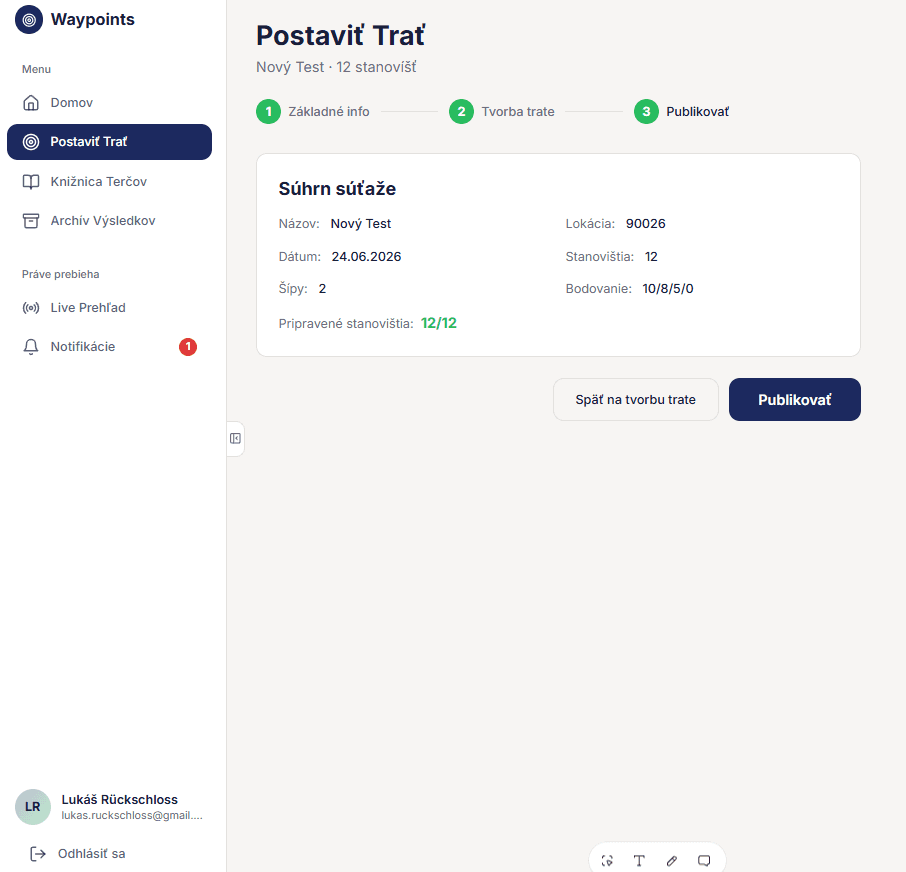
I split it into three logical steps.
01
Define
At the start the user defines core details about the track including competition name, date, scoring scheme, age groups.
02
Build
The track builder allows to assign details to stations. Standard scoring scheme can be replaced by special conditions.
03
Preview
Before publishing the user previews details about the track. After hitting publish, a QR code generates. This code is entry gate for users on mobile.
Challenge 2
UI first, Database later
Building the system first with mock data, then connecting it to a live Supabase database, surfaced a major limitation. Connecting the two parts could be described as to try attaching string between photographs on a connection wall. The process felt slow, and every connection spawned bugs and setbacks.
One example of a manyis a bug where the scoring map pulled randomly generated placeholder targets instead of the actual configured ones. It's fixed now, but it exposed a real cost of mockup-first development — early speed, deferred integration debt that has to be paid eventually.
Screenshots from Waypoints Admin. Track building flow.
Screenshots from Waypoints Mobile App. From joining the event to score writing.
Feedback from the community
Trust doesn't scale (when it comes to strangers)
Once V1 felt stable, I organized a presentation for my local archery community, a deliberate session to show the current state and collect feedback before committing to a real outdoor test.
"The room" included experienced competitive archers, among them the same person who had tested the very first prototype two years earlier.
Meeting notes
Competition standards
Adding a Verifier logic to ensure trust of written scores as emphasis on treating each competition as high-stakes.
No users left behind
Adding possibility to add users without smartphones into the group. This ensures inclusive approach for anyone without a smartphone at hand.
Offline resilience
Outdoor 3D ranges run through forests and hills with patchy signal, offline resilience stopped being a nice-to-have and became a requirement.
Circling back to the anecdote at the beginning, the original design for voting system assumed that whoever won the scorekeeper vote could simply write scores, no second check.
A reasonable assumption on paper, but it doesn't hold up once strangers are involved at a real competitive event. The room made that clear quickly. Each competition needed to be treated as high-stakes, i.e. two-part score writing. One archer records, another confirms.
Vibecoding & Problems
Limits of a Noncoder Builder
As mentioned previously, several aspects proved my personal limits as a Noncoder. After connecting database and troubleshooting bugs my limits deepened with challenges in implementing the requirements established in meeting.
Especially implementing the verifier mechanic and the live dashboard behavior both broke in the same family of way, not because the rules were wrong, but because the system didn't agree with itself about what state it was in.
These challenges are the tip of the iceberg. Let me explain.
Early on, after the verifier mechanic was introduced, it started behaving backwards
in testing.
What went wrong
A flag called groupHasVerifier was read before the database fetch that would have set it correctly had finished, so the app defaulted
to false and acted as if no verifier existed
for groups that had one. A related bug had
the phone's local session caching an old scoring role, so someone could keep acting
as a scorekeeper or verifier even after their role had changed in the database.
How I solved it
Both bugs came down to trusting local or cached state over what the server actually confirmed. Fixing it meant applying the same discipline already being built for offline resilience
Building this requirement collided with another feature I'd planned in parallel,
a "self-scorekeeper" mode, letting a solo archer record their own scores without
group voting at all.
What went wrong
Supporting both paths at once broke the permission system. Sometimes it locked the self-scorekeeper out mid-competition. Sometimes it did the opposite. At least once, a competition couldn't start at all, no one could write
a single score.
How I solved it
Self-scorekeeper is shelved indefinitely. Voting for a scorekeeper can no longer be skipped and anyone who doesn't participate, or runs out of time to vote, automatically becomes a viewer instead.
When the last station on a scoring map was completed, the group closed automatically and the results screen rendered.
What went wrong
"Scored" and "verified" score status were treated as the same state. A group could close and the results screen could render before the verifier had confirmed a single target.
How I solved it
Auto-close was removed entirely. Scores still write to the database as they're recorded, but the competition-end screen only renders on the archers' phones once the last verification, confirming every remaining target, has gone through.
Current State
(@7/2026)
Working system (Awaiting field test)
Waypoints is now a feature-complete system. The CMS, track builder, live preview, and mobile app all work end to end, including everything that came out of the community feedback session: the verifier requirement, manual archer entry, and offline resilience.
< 0 min.Publishing competition
< 0 min.Generate results
0+Devices per competition
The most exiting metric is actually the time necessary for generating and announcing the results can be shortened from hours to mere minutes.
Next milestone is a fake outdoor competition, i.e. full dry run under real field conditions, signal dropout included, before trusting the system to a real event. After that, the target is a genuine competition in August 2026.
Note:
A single competition needs to comfortably support well over a hundred concurrent devices and that requirement multiplies if multiple competitions ever run on the system at the same time. This reliability is yet to be stress-tested.
What I Learned
The line I still need to draw
This project surfaced more limits than answers, and the most lasting one isn't technical.
I've spent years thinking of myself as someone who can determine how things should work, that's what pulled me toward UX in the first place. Building Waypoints was different. Even speaking mostly in plain language rather than code, I turned a vision into something real enough to help an actual archery community solve more than one problem at once. That's a different kind of capability than the one I thought I had.
With the hindsight I have now, I'd spend more time in the ideation phase of the organizer CMS specifically. The process included structure ideation, building it out in Figma, however I moved from mockups into vibecoding faster than a more iterative validation cycle would call for. Whether that trade-off cost the system anything in quality is something the real test, this August, will tell me more clearly than I can tell myself right now.
What I do know is that vibecoding made it possible to turn a vision into something real fast enough to test in the field. What it doesn't do is draw the line between which parts of my process should be automated and which carry my own judgment and signature. That's not a question I'm waiting on an answer for. It's the one I intend to keep asking myself with every product after this one.
Ready to scale your product?
From prototyping to production-ready design systems, I bridge the gap between user needs and technical feasibility.